Skip to content
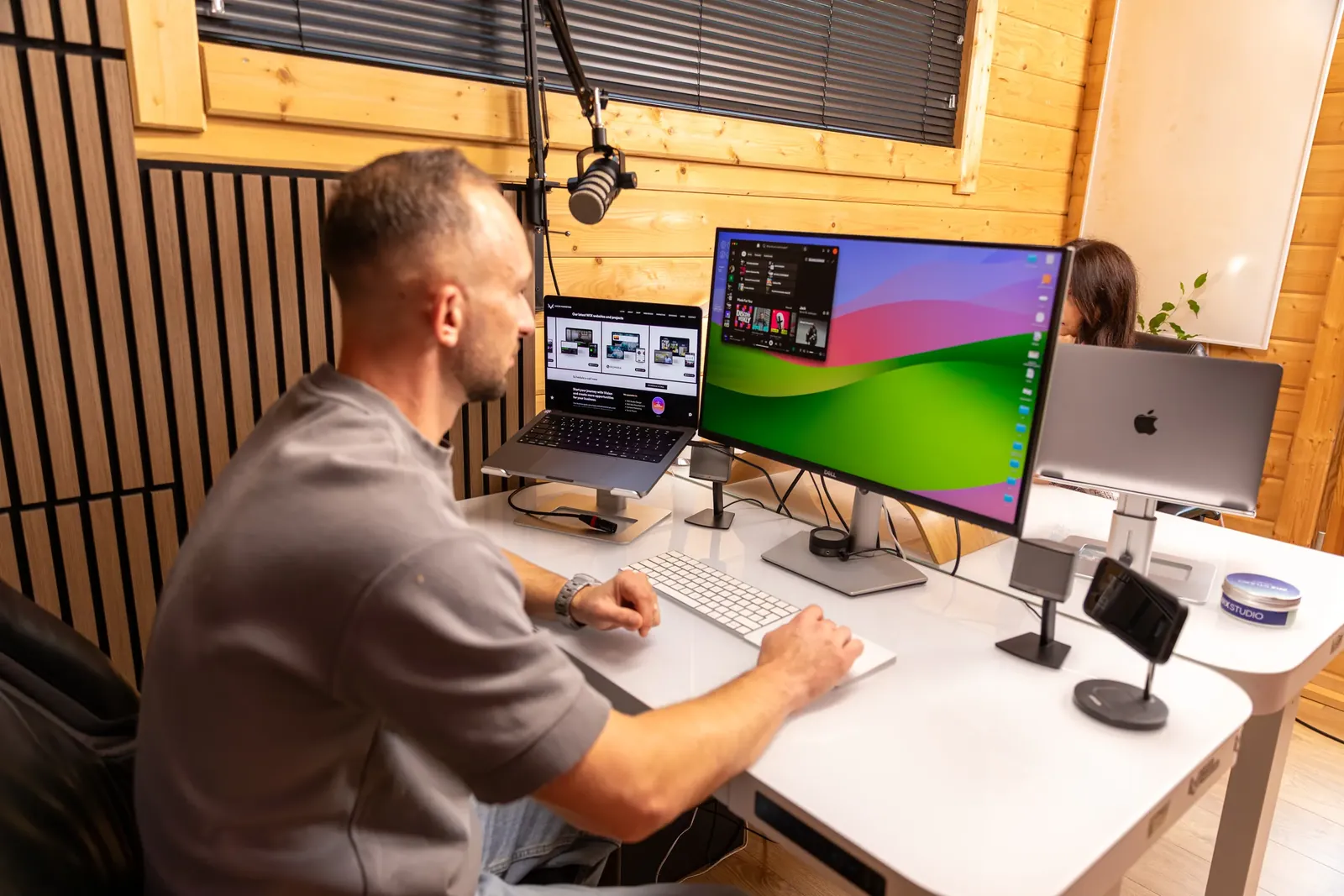
Maciej (Matt) Konarzewski working in Wix Studio at his desk

Get your Wix site ready for Wix Studio 2

Wix Studio 2

Wix released Studio Two to partners on 2 November 2026 and launched it publicly on 10 November. It's rolling out to every account over the coming weeks. We build and move sites on Wix Studio today, set up so the step to Studio 2 is small when it reaches your site.

Book a free call See what's new
  • 2025 Wix Studio Expert Web Designer
  • 2025 Wix Studio Expert Developer
  • 202 Projects completed through the Wix Marketplace
  • 5.0 Average from 117 Wix Marketplace reviews

What it is

A ground-up rebuild of Wix Studio, with AI built in

Wix Studio 2, officially Studio Two, is Wix's new editor for professional sites like the ones we build. It puts AI design with Aria 2.0, an open design canvas and a standard React code layer in one editor. Using Aria is optional. Anything it does, you can do by hand.

For business sites, the big change is that store, booking and CMS sections stop being black boxes. In the preview, you bind a section to live data, design it however you like, and the logic stays connected underneath.

Wix made it official on 2 November 2026 in its press release and launch blog post. Wix showed it publicly at a launch event on 10 November, and it's rolling out to every account over the coming weeks.

Wix says existing Wix Studio sites remain supported. Nothing moves on its own.

Last checked against Wix's own pages on 4 November 2026. The full story is in our Wix Studio 2 post, which we update when Wix says more.

What's new in Studio 2

Wix first showed these at a partner roundtable. Since the 2 November launch they're arriving account by account.

  • Start from anything

    A blank canvas, a template, a prompt loaded with your brand, or a site you like as a structural starting point.

  • Responsive from the start

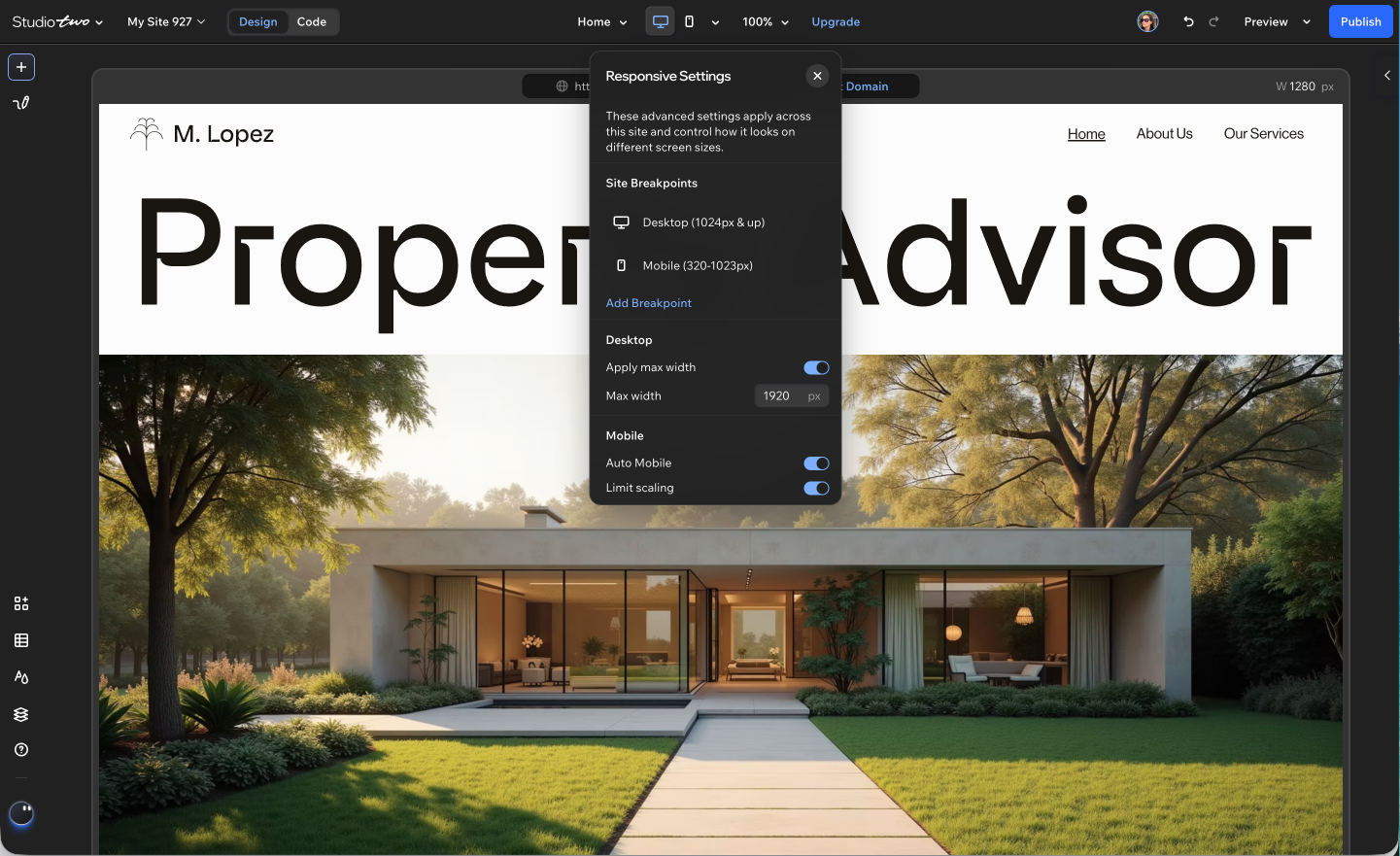
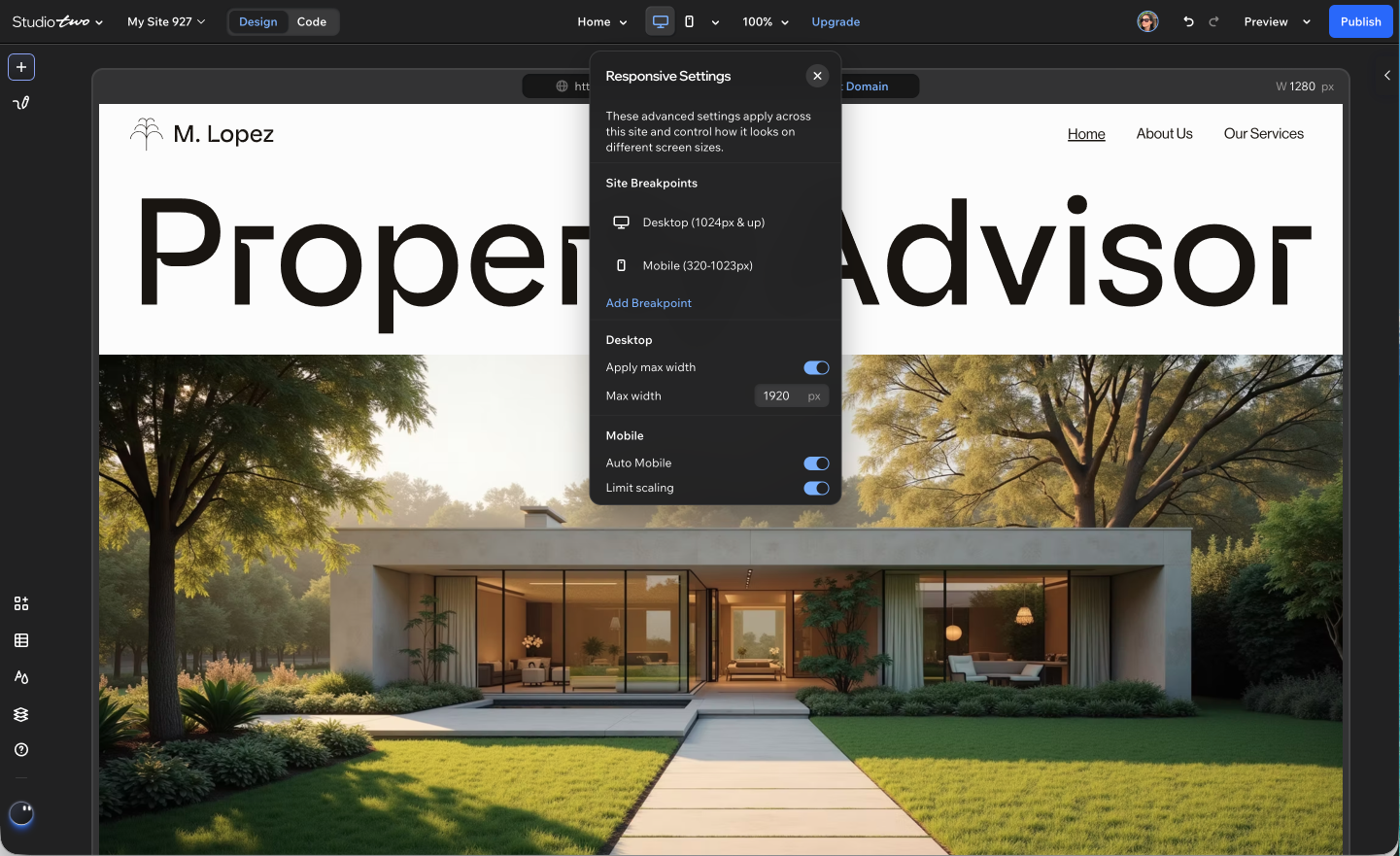
    Desktop and mobile breakpoints that fit straight away, with a stop at 700 pixels so layouts don't stretch on wide phones.

  • Business sections you can redesign

    Bind a section to Wix Stores, Bookings or a CMS collection, then restyle or rebuild it. The data stays wired up.

  • Logic in plain English

    “Populate this section with my six top-selling products and refresh it every hour.” Aria built that in the demo, bound to the live store.

  • Standard React instead of Velo

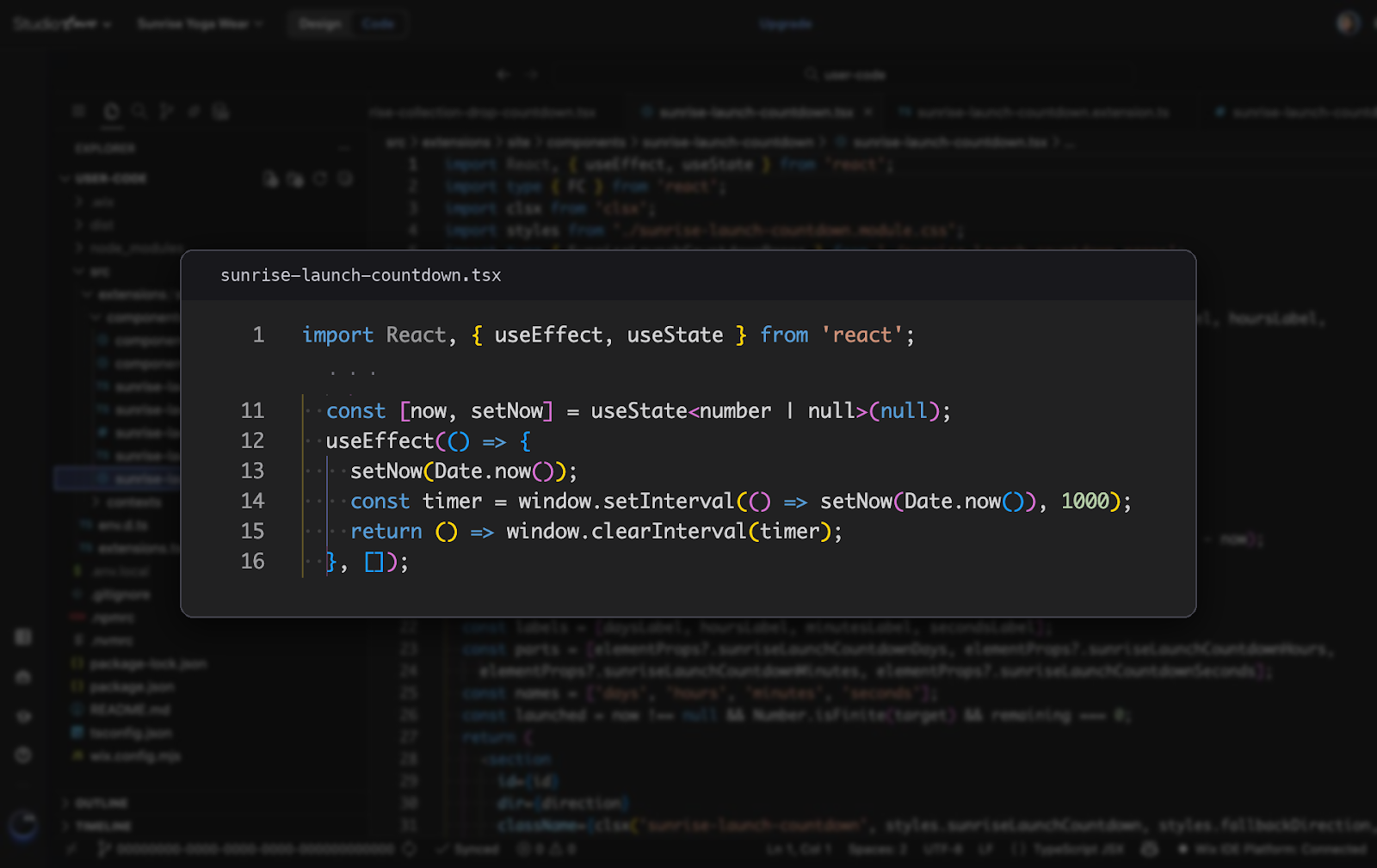
    Wix's words to partners: “Velo no more.” Custom code sits in a VS Code editor inside the workspace.

    What this means for Velo sites
  • Built for agencies

    Studio Two is made for agencies, who can save their standards as Aria skills that apply on every project. What your site says, and what turns a visitor into an enquiry, still comes from people.

Studio 2, Studio today and Harmony

Two editors you can use today, and where Studio 2 fits.

Build on it now

Wix Studio (today)

The professional editor we use on every project. Full design control, the CMS, custom code and multilingual sites. Wix says existing Studio sites remain supported while Studio Two rolls out.

  • Available now, no waiting
  • What we build carries forward
  • Redesigns built as a branch, so the live site stays up
DIY, AI-first

Wix Harmony

Wix's AI-first editor, launched in January 2026 for people building their own site. Fine for a simple site you run yourself. Wix's developer docs say it doesn't support site code. Since 10 November you can create a Studio Two version of a Harmony site, because the two share the same foundation.

  • Quick first draft
  • No site code or Velo
  • Moves into Studio Two when you're ready

Wix Harmony vs Wix Studio: which should your business build on?

What's new in the editor

Studio 2, feature by feature

43 features, from AI site building to code export. Scroll through to see each one in action.

  • 01 · Design and elements

    Site generation

    Describe the site to Aria, Studio Two's built-in AI, and watch a first version build itself on the canvas.

  • 02 · Design and elements

    Plan mode

    Work through a full brief with Aria first. Add photos, design references and client documents, then choose from three homepage directions.

  • 03 · Editor

    Contextual action bar

    Select anything and the bar shows only the controls that element needs.

  • 04 · Editor

    Inspector panel

    One panel for an element's, section's or page's size, responsive behaviour, design and interactions.

  • 05 · Design and elements

    Site styles

    Set fonts, colours, buttons, lines and containers once, and the whole site follows.

  • 06 · Editor

    Draw element

    Draw an element straight onto the canvas at the size and spot you want. Keyboard shortcuts skip the panel.

  • 07 · Editor

    Pan on canvas

    Click and drag anywhere to move around the workspace.

  • 08 · Editor

    Parts picker

    For elements built from several parts, pick the one you want to style and the Inspector shows its settings.

  • 09 · Editor

    Site structure panel

    Pages, the layers on each page and the global sections, all in one panel.

  • 10 · Editor

    Manage pages

    See every page at once. Change its URL, access, SEO, accessibility and social share settings, or add a new one.

  • 11 · Editor

    Canvas resize

    Drag the edge of the canvas to any width to check how the design behaves.

  • 12 · Layout

    Auto vertical spacing

    Studio Two's version of auto push in the Wix Editor. The layout adapts as content and screen size change, so elements don't overlap.

  • 13 · Layout

    Auto mobile

    Design on desktop and the mobile layout follows, with room to fine-tune.

  • 14 · Design and elements

    Designed sections

    Ready-made responsive sections, shapes and vector art, all fully editable.

  • 15 · Design and elements

    AI actions

    AI edits right on the canvas: improve a layout, rewrite text, edit an image.

  • 16 · Design and elements

    Designed pages

    Ready-made responsive page layouts you can change completely.

  • 17 · Layout

    Dynamic repeaters

    Repeaters are always connected to data, so each item shows content from the CMS or another source.

  • 18 · Motion

    Ani-Mate

    Describe an effect and Ani-Mate turns a section into layered motion with AI. No code needed.

  • 19 · Motion

    Brik integration

    A library of motion graphics and interactive pieces, with settings you can adjust.

  • 20 · Motion

    Scroll in and out

    Give one element different animations as it scrolls in and as it scrolls out.

  • 21 · Business tools

    CMS

    A no-code CMS for collections and item pages that keeps the design intact.

  • 22 · Business tools

    Connect elements to data

    Connect any element to your CMS, business logic or code, then design freely.

  • 23 · Code

    Generative code

    Ask Aria to write code, answer questions and fix problems.

  • 24 · Code

    Visible, editable code

    The code Aria writes is plain source you can open and change.

  • 25 · Code

    Import React component

    Upload or paste an element's code file and it becomes a fully editable element.

  • 26 · Code

    Wix MCP

    Give your AI agent secure access to Wix documentation, coding skills and your site's dashboard.

  • 27 · Code

    Custom CSS

    Write your own CSS, or paste it in.

  • 28 · Business tools

    Multilingual

    Translate the site into more than 180 languages by hand, or auto-translate into more than 130, without touching the design.

  • 29 · Agency

    Content mode

    Let clients update content without the risk of changing the design.

  • 30 · Layout

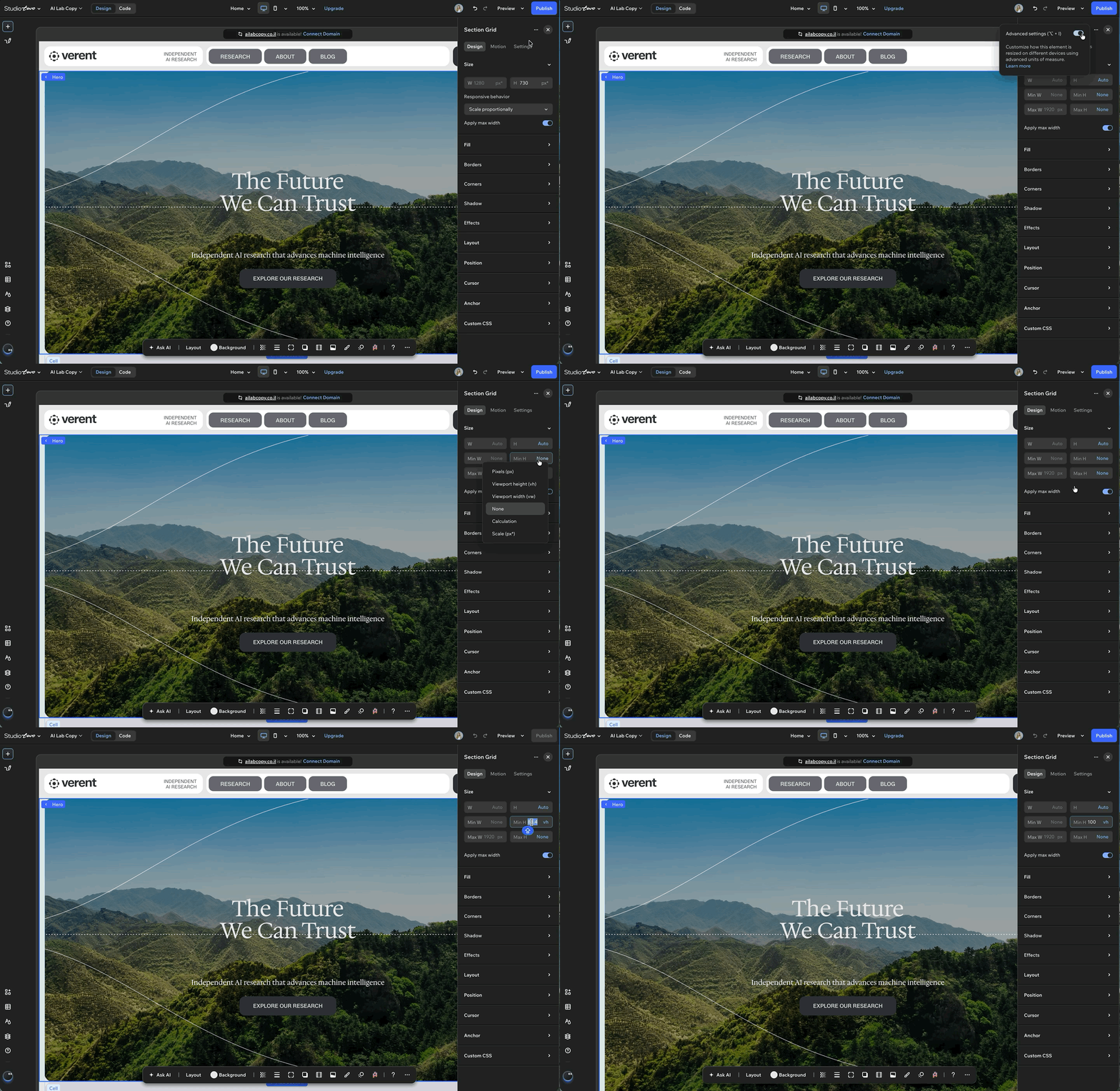
    Advanced size settings

    Exact sizes and units for every element, set breakpoint by breakpoint.

  • 31 · Layout

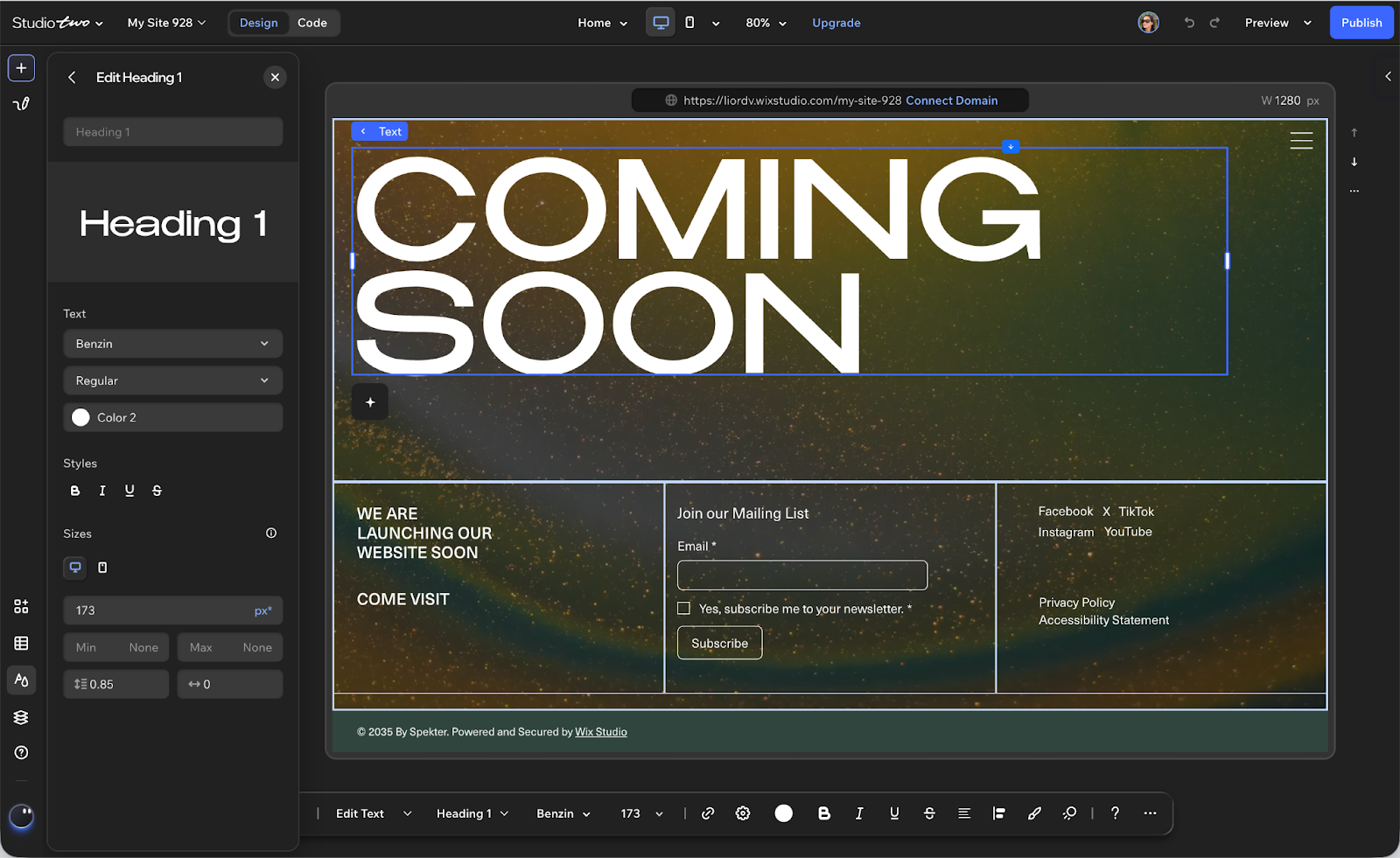
    Font size per breakpoint

    Give text its own size on each breakpoint, so headings fit a phone as well as a desktop.

  • 32 · Editor

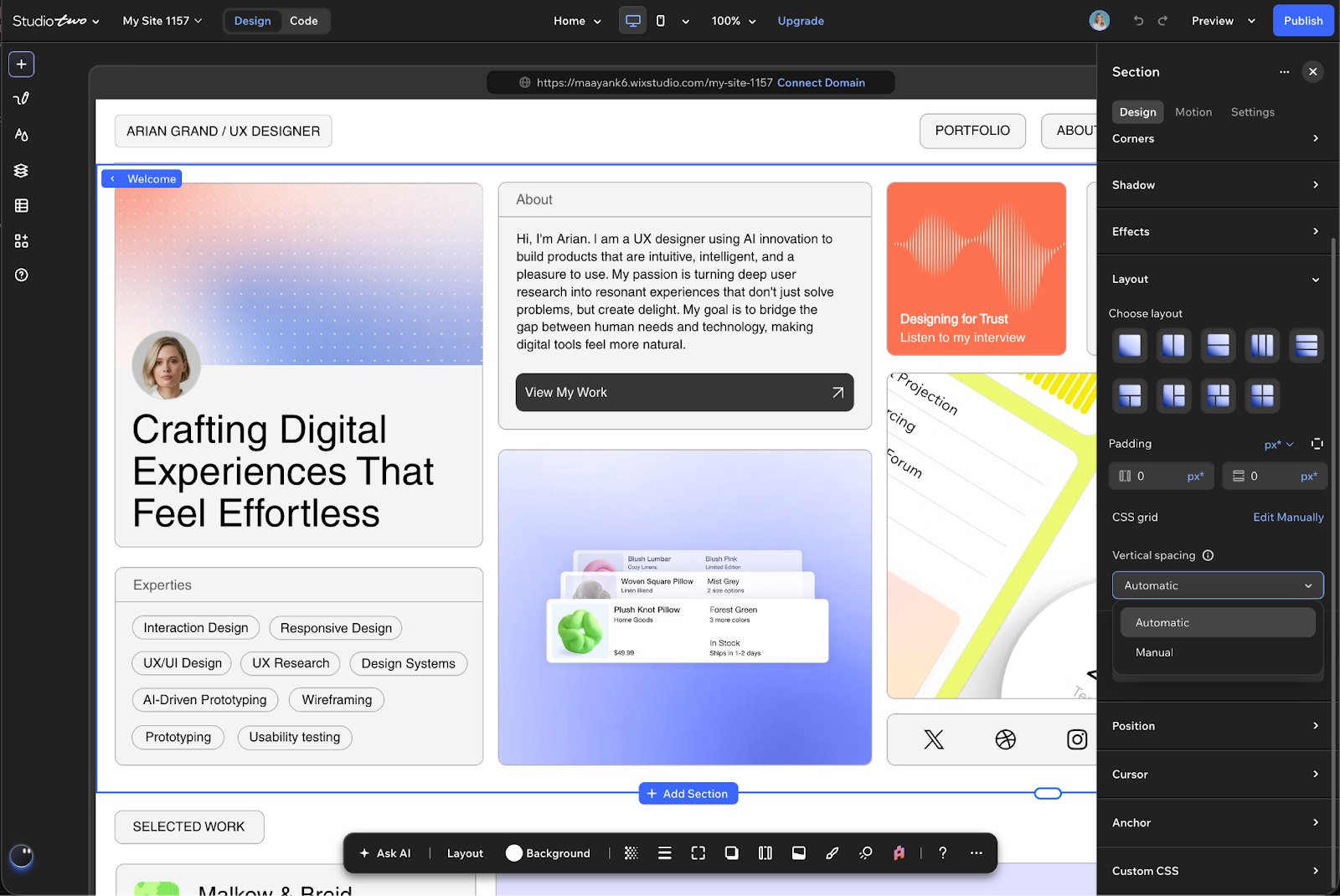
    Automatic spacing or CSS grid

    Keep automatic spacing so nothing overlaps on other breakpoints, or switch to a CSS grid you control by hand.

  • 33 · Design and elements

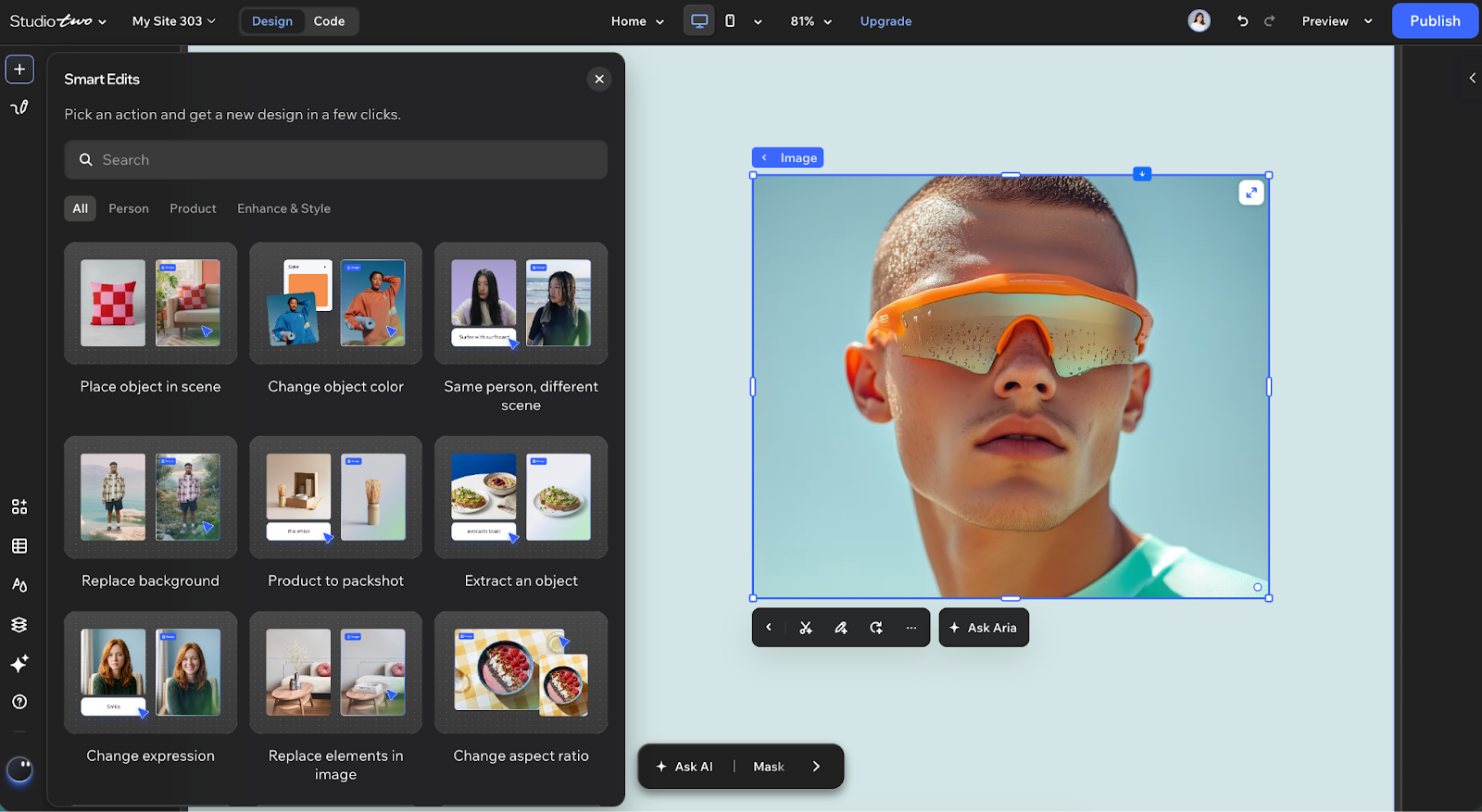
    Smart edits

    AI image tools that change colours, move objects and adjust angles.

  • 34 · Layout

    Site-level breakpoints

    Breakpoints apply across the whole site, global sections included, and you can still add your own.

  • 35 · Layout

    Limit scaling for mobile

    Cap how far elements grow on large phones, so the design holds.

  • 36 · Editor

    Site overview

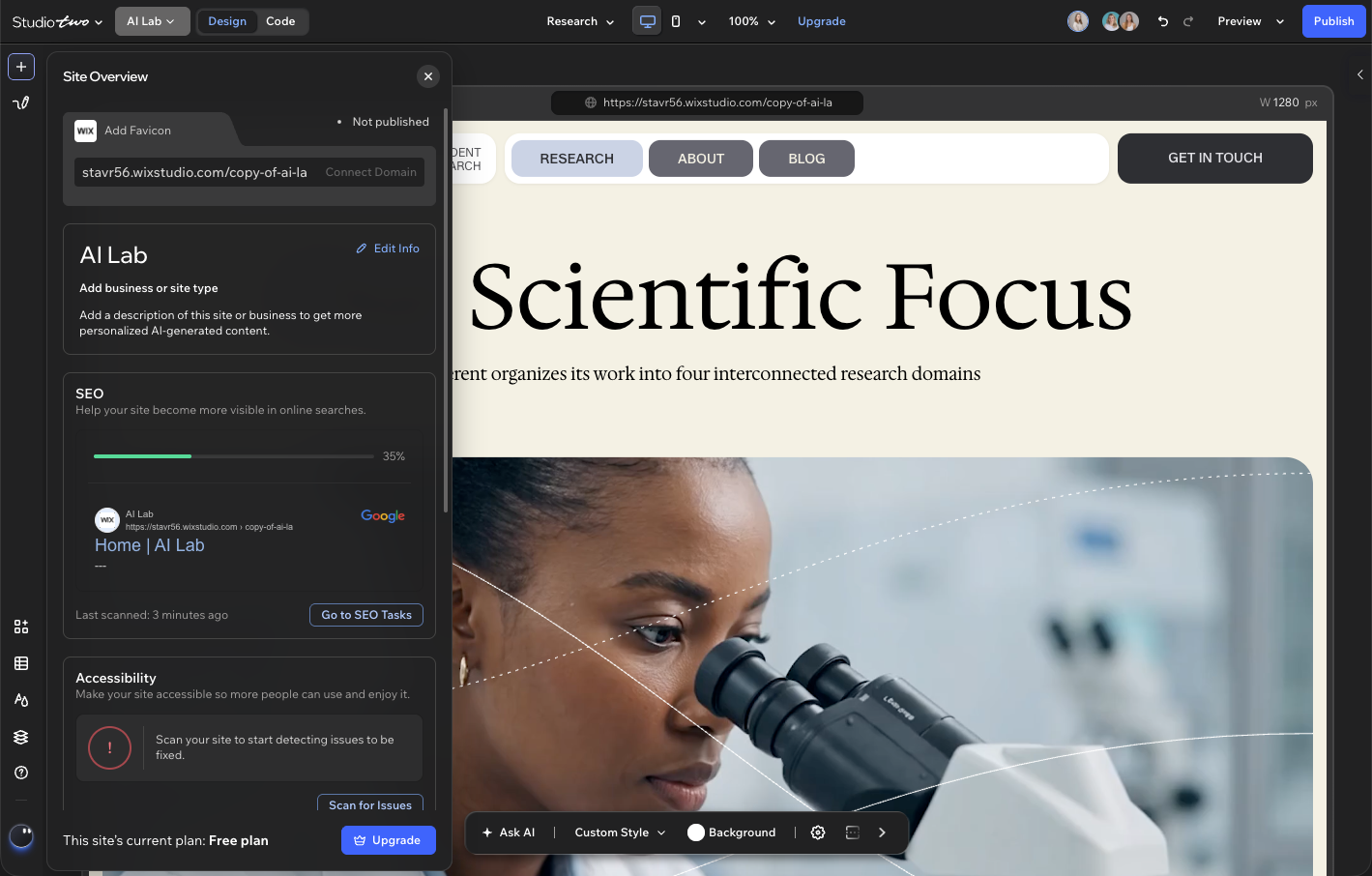
    Domain, favicon, SEO, accessibility, social share and analytics, all in one place.

  • 37 · Code

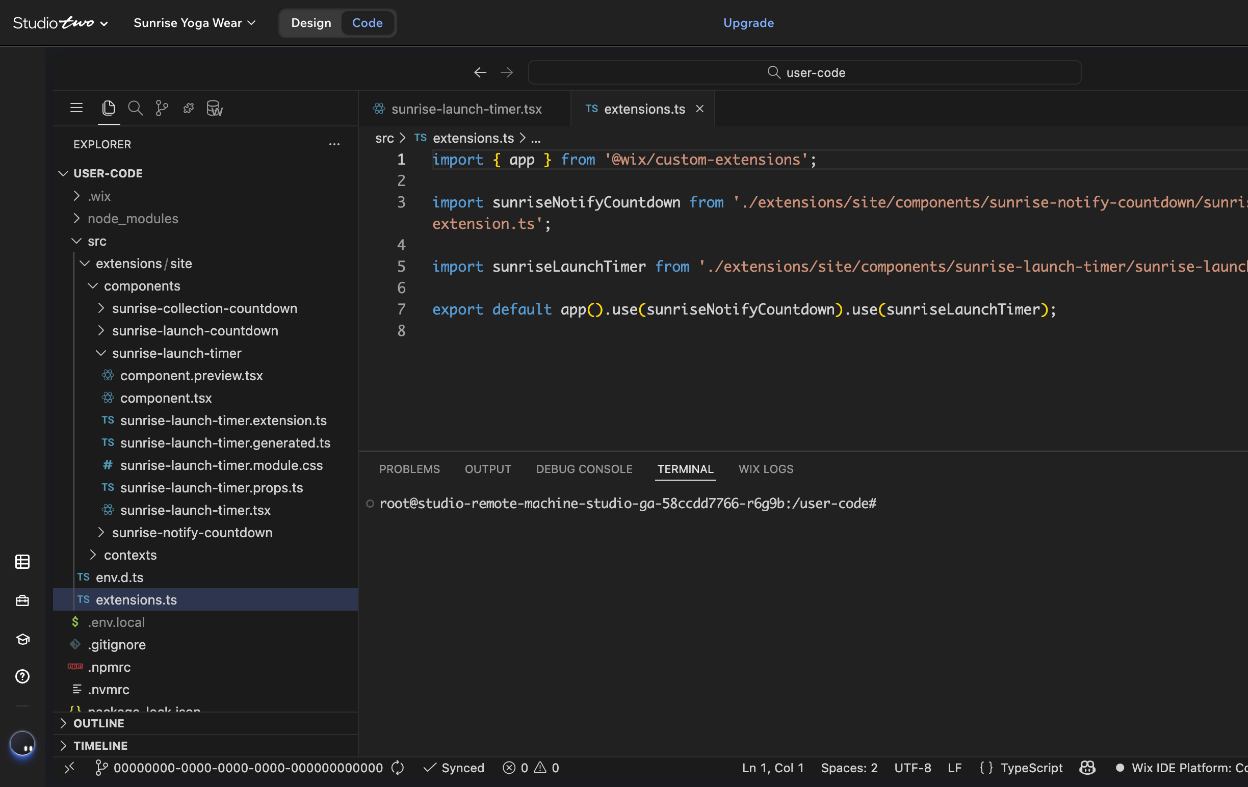
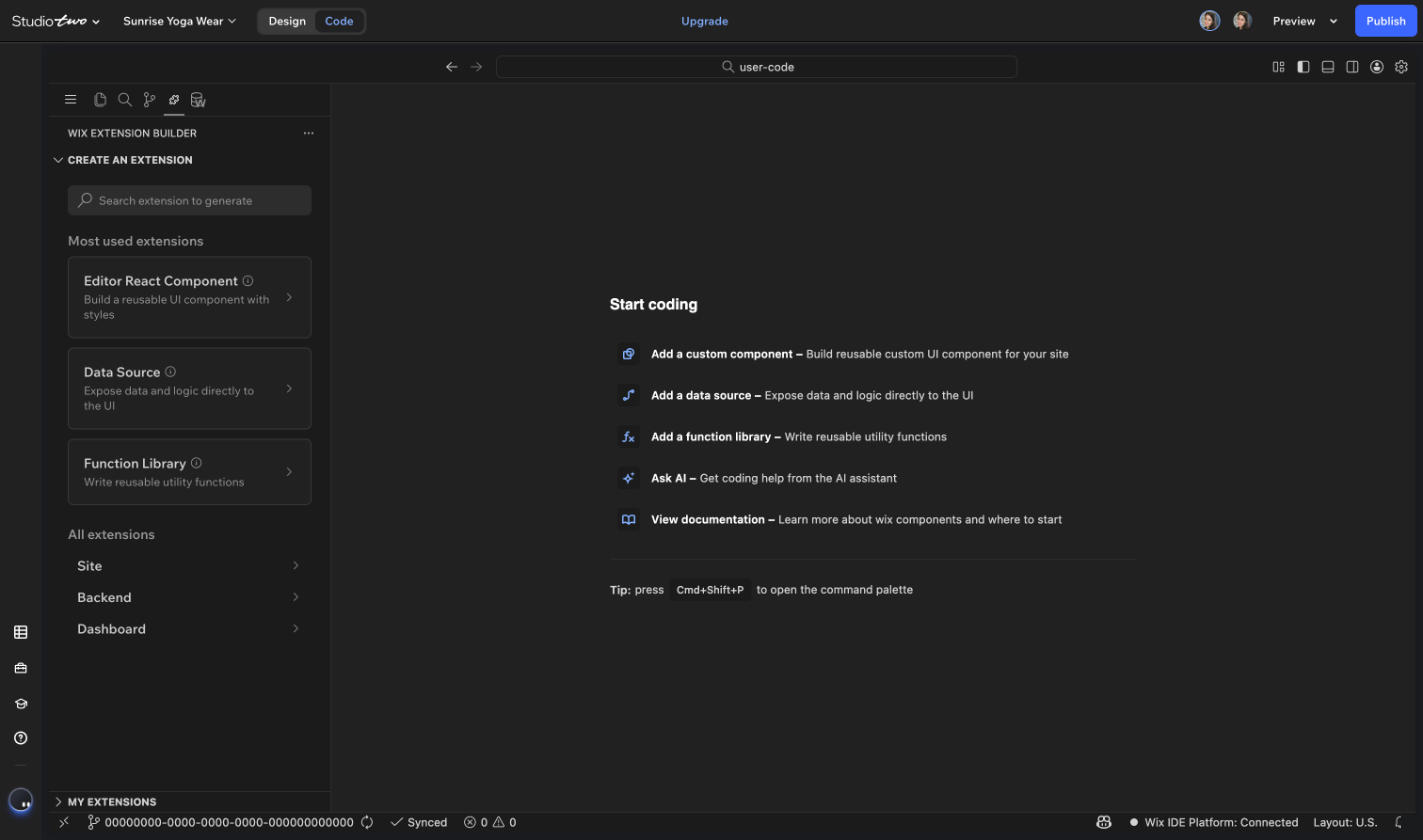
    Built-in IDE

    A VS Code editor in the browser, separate for each user, with live collaboration and revision history.

  • 38 · Code

    Standard React

    Wix code is now standard React, with the components and hooks developers already know.

  • 39 · Code

    Code extensions

    Extend a site with React components, data sources, function libraries, embedded scripts, site plugins, dashboard pages and backend extensions.

  • 40 · Code

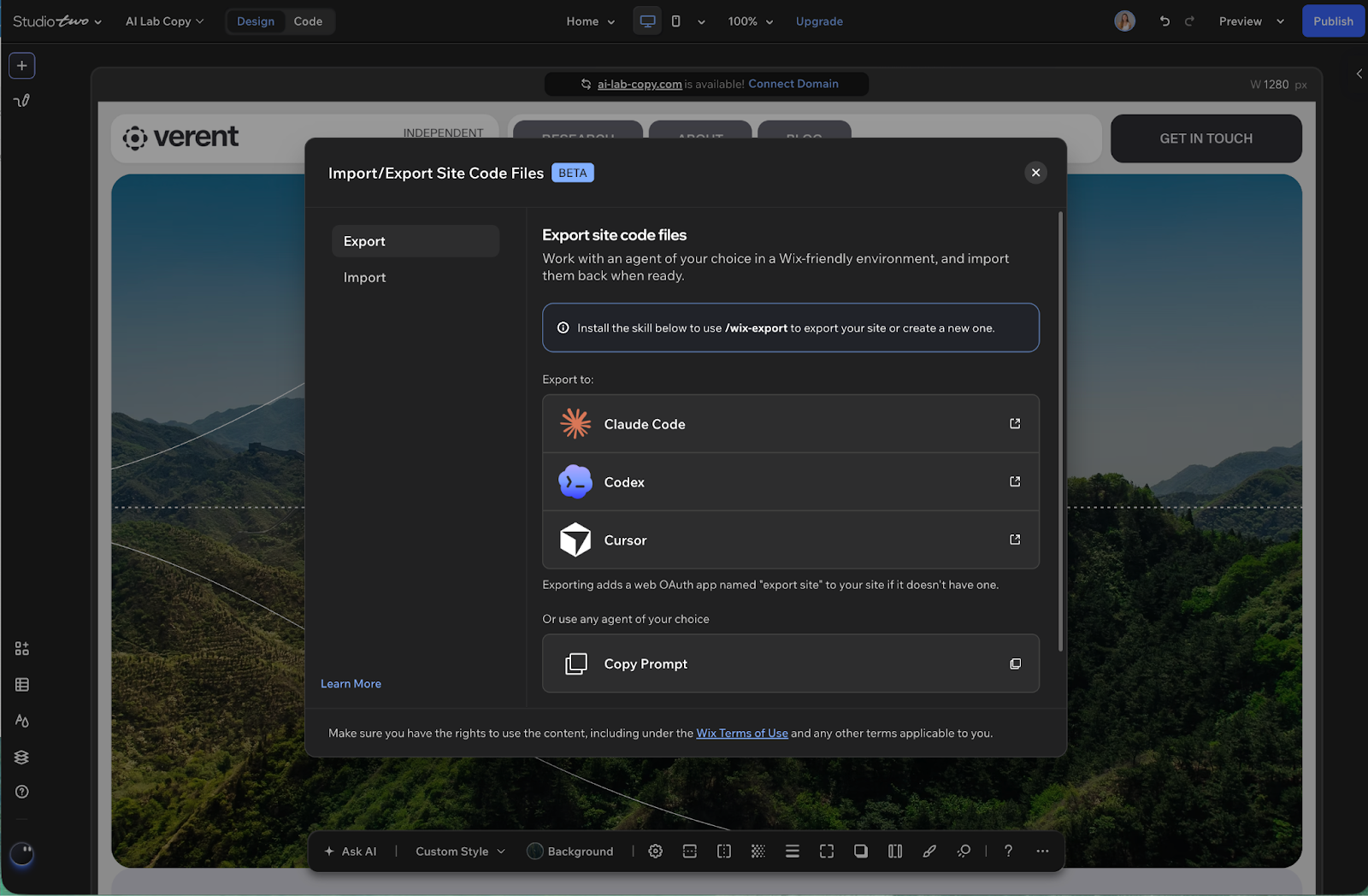
    Import and export site code (Beta)

    Export the site as a standard React project, work on it with any AI tool or IDE, then bring it back into Studio Two for visual editing.

  • 41 · Code

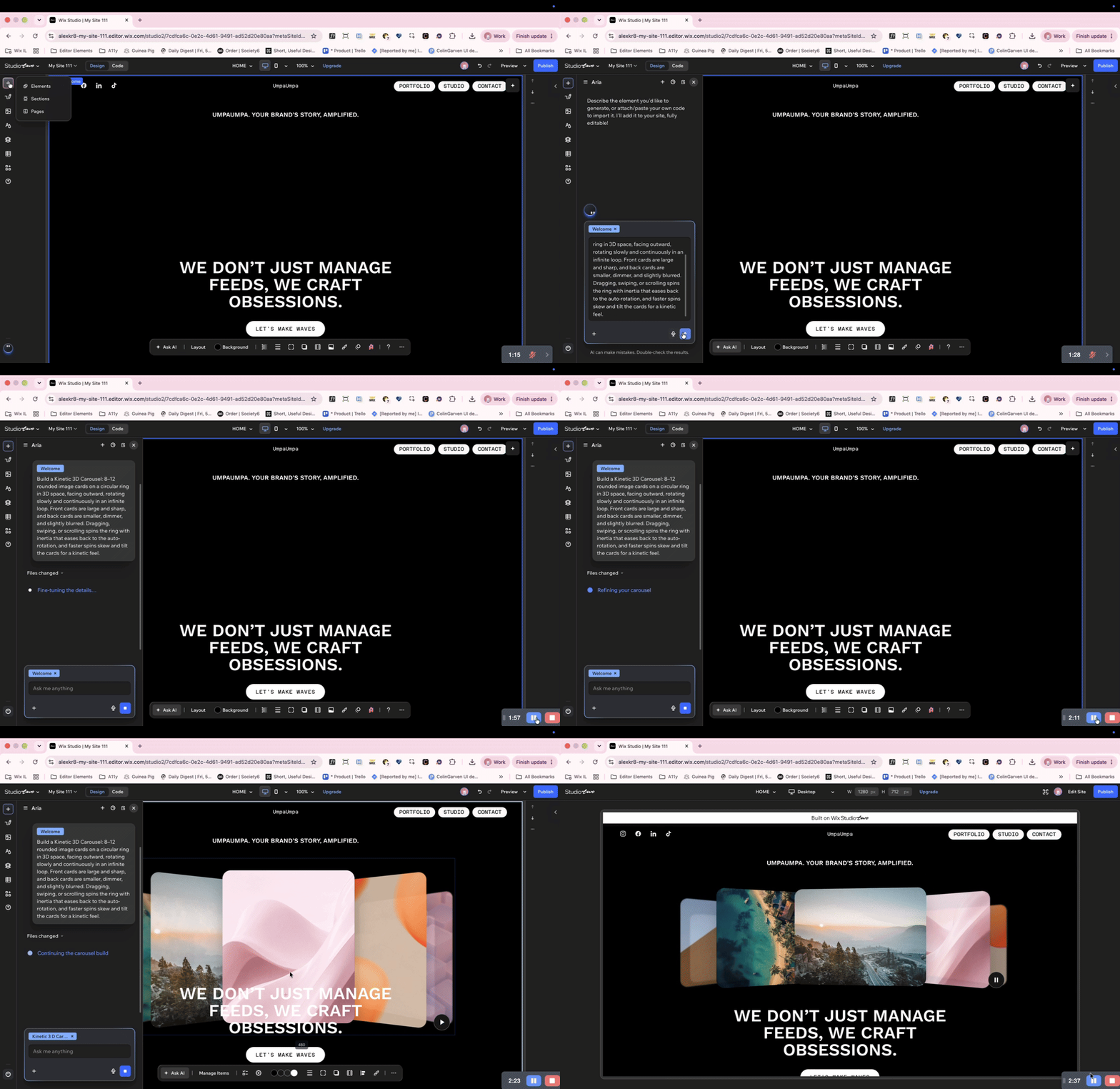
    Generate elements

    Describe an element, paste code or attach an image, and Aria adds it to the site for you to edit.

  • 42 · Now live

    Harmony to Studio Two

    Move a Wix Harmony site into Studio Two for more design control. The original stays live until you publish.

  • 43 · Editor

    Zoom in and out

    Zoom in for detailed edits, or out to see the whole page at once.

Compare Studio 2 with other platforms

How we help

How we build so the move to Studio 2 is small

We keep logic in the CMS, not in page code. Aldenham Residential's site runs 30 development pages and 89 plot pages from three CMS collections, and their team updates prices and availability themselves. That structure doesn't care which version of the editor draws the page.

We use native Studio elements where they exist and keep custom code small and documented. Every redesign is built as a branch, so the live site keeps taking enquiries until launch day.

Where you start decides the route:

  • On Wix Studio already: nothing changes on its own. We tidy the code, move repeating content into the CMS and fix the SEO basics, so a later move has less to untangle.
  • On the Wix Editor: you can build a Studio version now while your current site stays live. You need a Premium plan to start it and a Studio plan to publish, and the design is rebuilt (Wix's guide). If a redesign is due anyway, this is the time.
  • On Wix Harmony: fine for a simple site you run yourself. If you need custom code or a bigger build, we start you on Studio.

Read how we redesign a Wix site without downtime.

Read up on Studio 2

Guides, quick answers and blog posts on Wix Studio Two. New ones show up here as we write them.

All guides

What clients say

Rated 5.0 from 117 reviews on the Wix Marketplace, and 5.0 from 66 on Google.

★★★★★

“Matt is pragmatic, detail-oriented, an excellent listener and highly efficient. We hired VISion Marketing to redesign our website, and we had more than a few bespoke requirements.”
MiWay Website redesign · Wix Marketplace, September 2026

★★★★★

“Even though our website is very niche engineering, Vision Marketing clearly understood our requirements and produced a much improved website…”
Hoptimiser Website redesign · Wix Marketplace, July 2026

★★★★★

“We've had a fantastic experience working with Vision Marketing on our website rebuild and are very happy with the result. The quality of work has been excellent, and Matt has been brilliant throughout…”
Anija Website redesign · Wix Marketplace, October 2026

Read all 180+ reviews

Wix Studio 2 questions

Can't see your question? Ask us. We reply within one working day.

  • What is Wix Studio 2?

    Wix's new editor for professional sites. Wix calls it Studio Two, released it to partners on 2 November 2026 and launched it publicly on 10 November. It puts AI design with Aria 2.0, an open design canvas and a standard React code layer in one editor. Our Studio 2 post covers what we saw.

  • When is Wix Studio 2 coming out?

    Wix released Studio Two to partners on 2 November 2026 and launched it publicly on 10 November. It's rolling out to every account over the coming weeks, so it may not be on yours straight away. Correct as of 10 November 2026.

  • Will my current Wix Studio site need rebuilding?

    No. Wix says existing Wix Studio sites remain supported, and partners can keep building in both editors during the rollout. Your live site stays as it is.

  • Can I move a Wix Harmony site to Studio 2?

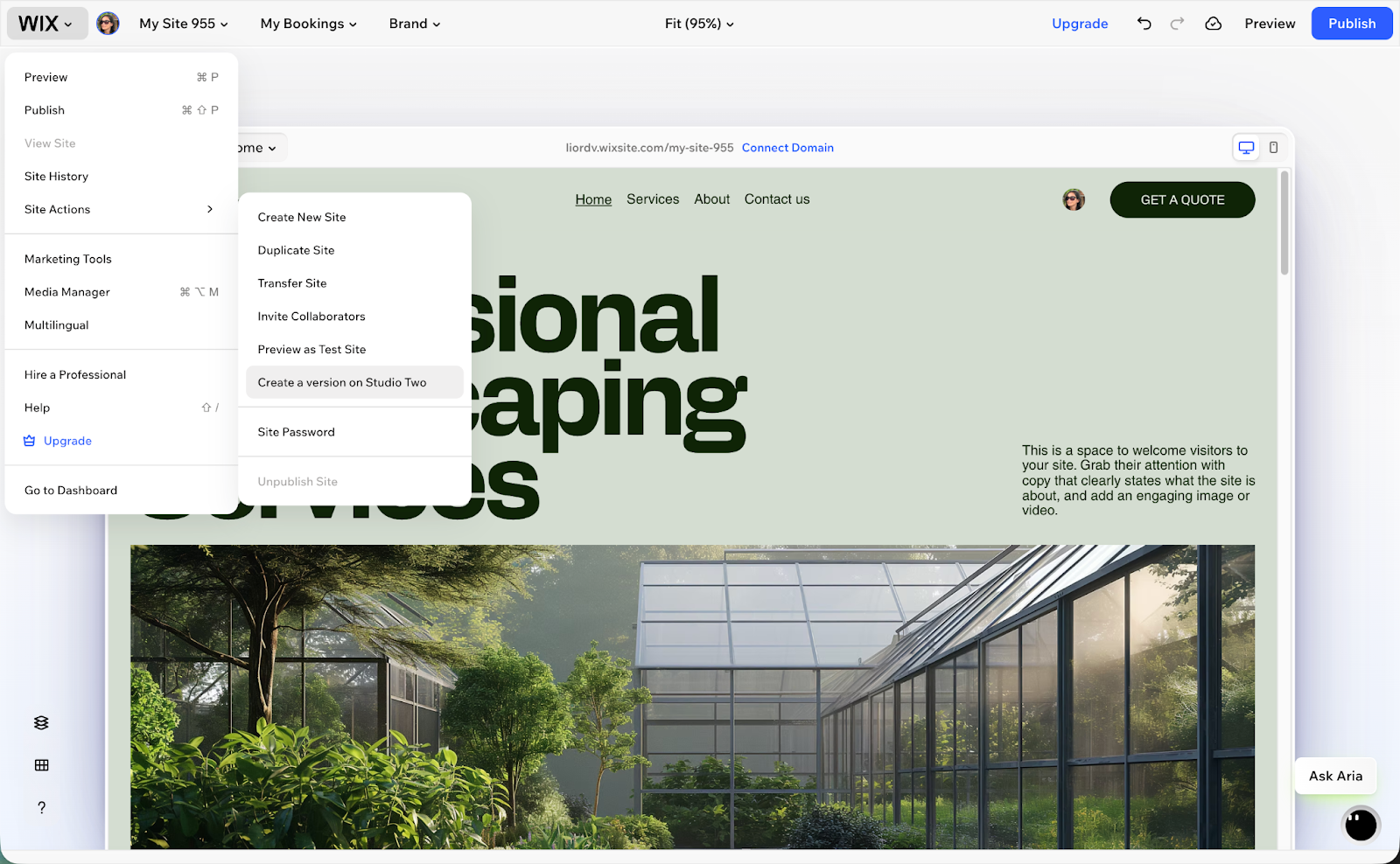
    Yes. Since 10 November, you can open Site actions in Harmony and choose Create a version on Studio 2. The design and data move across, and the Harmony site stays live until you publish the Studio Two version.

  • Is Velo going away?

    In Studio Two, yes. Custom code is standard React and TypeScript, written in a code workspace inside the editor, and there's no Velo page code. Existing Velo sites on Wix Studio keep working, because Wix says current Studio sites remain supported. We keep custom code small and documented so the rewrite is quick when it comes.

  • Should I build on Wix Studio now or wait?

    Build now, in most cases. Studio Two is reaching accounts gradually and some parts, like exporting to code, are still in Beta. The parts of a site that take longest, the content, the CMS structure and the SEO, sit underneath the editor and carry forward. If your project starts in a few months, ask us whether Studio Two suits it.

  • What is Aria 2.0 in Studio Two?

    Aria 2.0 is the AI agent built into Studio Two. Wix says it can design and refine sections, build custom components, write code and connect your data, and you can still change everything by hand on the canvas or in code. Agencies can save their standards as skills, so Aria follows them on every project.

  • Can I export a Studio Two site to code?

    Yes, in Beta. Studio Two can export a site as a standard React project, which a developer can edit in their own tools and import back. As of November 2026, sites with collection pages, such as item pages, can't be exported yet, and importing replaces the site's pages. Your CMS collections and apps aren't touched.

Weighing up Studio 2?

Book a free call

Tell us where your site is now. We'll tell you straight whether to move now, wait, or leave it alone.

Or call 01420 612776 or email matt@vismarketing.co.uk